

Introduction
The Forge Schema service is a library, to which you can publish schemas and read schemas. Schemas are definitions that describe the structure and the constraints applied to data. They dictate how data producers should format their data. They also instruct data consumers how to interpret the data meaningfully they read. As such, the Forge Schema service facilitates meaningful data exchange between systems by making schemas accessible to both data producers and data consumers.
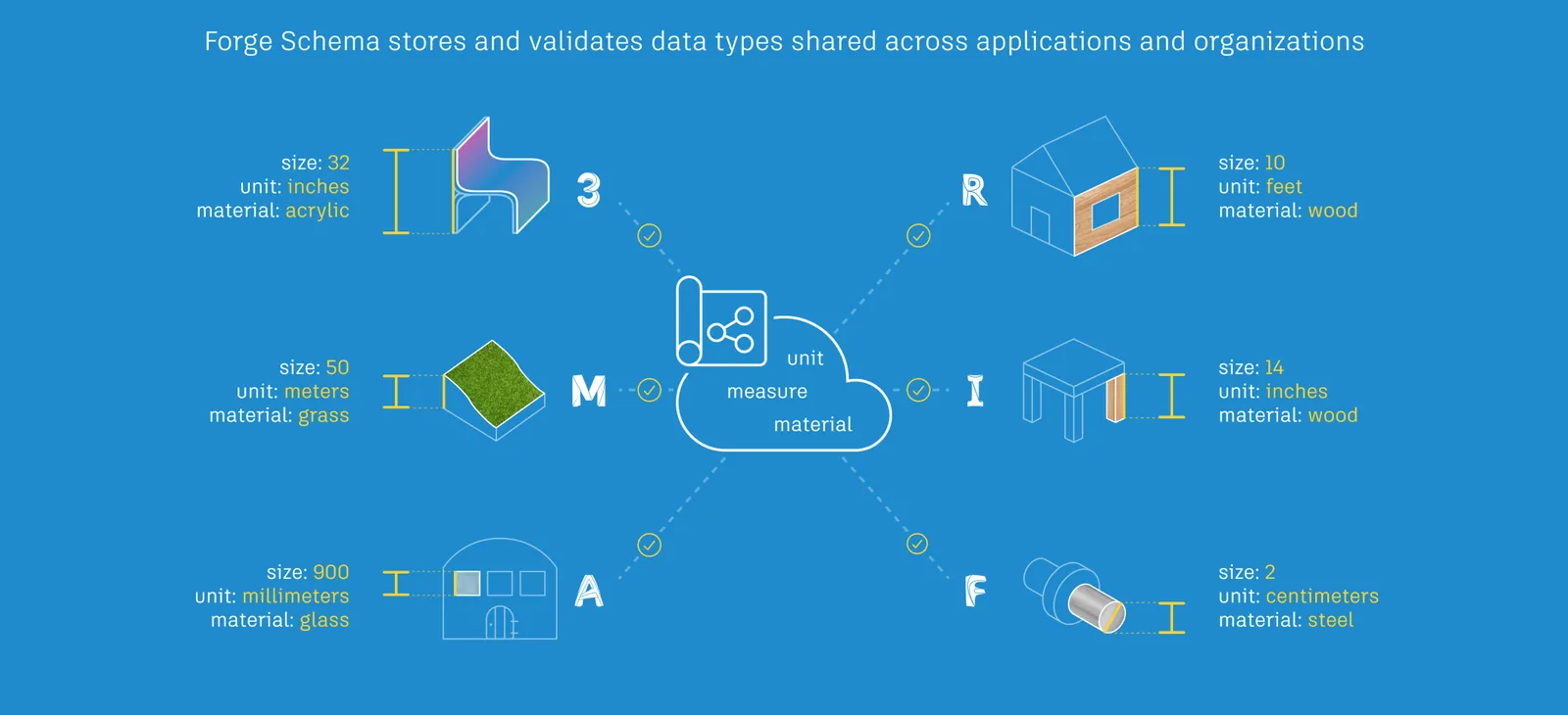
What can the Forge Schema API do for You?
The Forge Schema API lets you publish, read, update, and manage schemas programmatically. It provides endpoints to:
• Register a schema with the Schema Service. • Upload schemas under development as draft versions of the schemas. • Change the schema specifications and metadata of draft schemas. • Publish schemas ready for consumption as versioned schemas. • Read published schemas to decipher data produced by another system.
Once a schema is published, it is immutable. If an upgrade is required, it must be published as a new version of the schema.
What the Forge Schema Service is Not
The Forge Schema service is not a schema-authoring environment. Schema specifications must be authored offline and uploaded to the Forge Schema service. At the time the schema is uploaded, the Forge Schema service checks the schema specification for compliance with the basic data type it is declared to implement.
Who Uses the Forge Schema Service?
-
Forge Data Management has published the schema of their data stores on the Forge Schema service. Because their schema is known, BIM 360 is able to read data from Forge Data Management data stores, and also write back to them. What’s more, since the schema of Forge Data Management data stores is known, BIM 360 is able to store BIM 360 specific custom data within them without disturbing Forge Data Management workflows. Similarly, Fusion 360, uses Forge Data Management data stores to save Fusion 360 specific custom data.
The practice of saving custom data in data stores owned by another product is not new to Autodesk. This practice pre-existed the Forge Schema service. For example, AutoCAD Verticals store their custom objects in AutoCAD DWG files without violating RealDWG compatibility. However, the development teams depend on a largely manual communication workflow to inform the Verticals on how to store custom objects in DWG files.
With the advent of the Forge Schema service, products can publish their schema in a shared repository. This enables any interested party read the schema. They do not have to depend on the data producer (Forge Data Management in this example) to explicitly communicate the schema to the data consumers (BIM 360 in this example).
-
Revit has implemented a service known as the Unified Parameter service, which helps customers manage their parameter libraries, and easily import parameters into Revit sessions. This service is made up of a web software and a Revit add-on. Administrators manage their company’s parameters with the web software. The web service saves the schema of the parameters to the Forge Schema service. The Revit add-on reads the saved parameter information from the Forge Schema service. Users can navigate parameter libraries within Revit and add parameters to their projects. Going forward, they will be able to organize parameters and set defaults for categories and property palette groups. They will even be able to provide localized names for parameters to make them usable across locales.
In the past, customers had to use a shared text file to share parameter information across a company. This process was cumbersome and prone to error. With the workflow built on top of the Forge Schema service, the process has become seamless.