User Data
Updating userData to add Information about Group and Library by using API
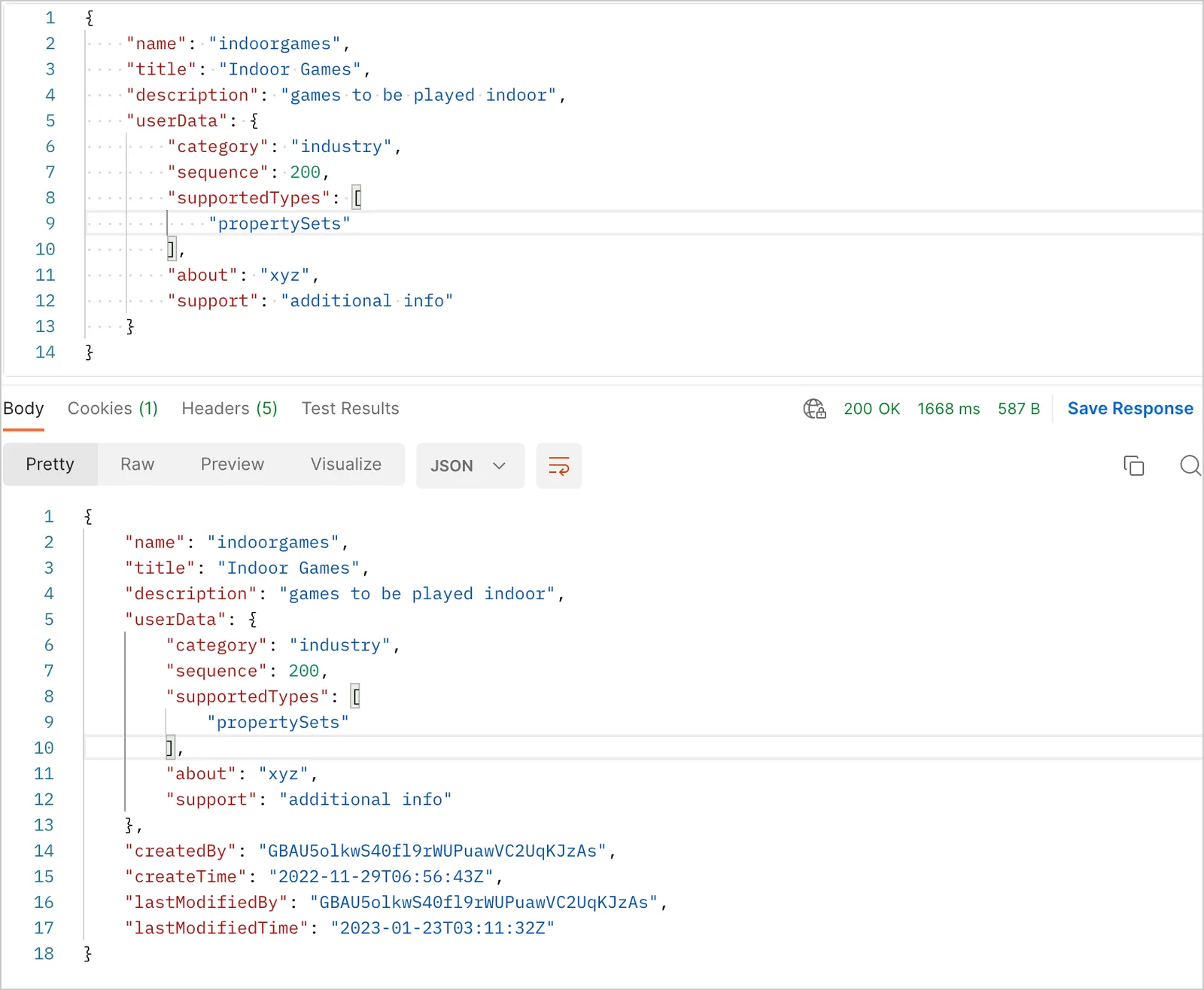
User data userData is a set of parameters, where you can add details about a particular group or library. User data allows you to add details, rendering orders, and any other information needed. As of now, userData allows user to define following fields.
- Category: Information about group category. Example-
industry, common - Sequence: Any number to sort the group in ascending order. Example-
5, 10, 200 - SupportedTypes: An array of Schema types which are supported in a group or library. Example-
"propertySets", "gql" - About: General information about group or library.
- Support: This is an additional information viewable and useful to Autodesk users only. This parameter should not conatin sensitive information.
IMPORTANT: You must provide full userData in every PUT request; otherwise, it will overwrite previous information after modification. It is recommended to update information in Forge Schema Repository (FSR) user interface, but you can update it by using API also.
Updating userData to add Information about Group and Library by using FSR UI
Category
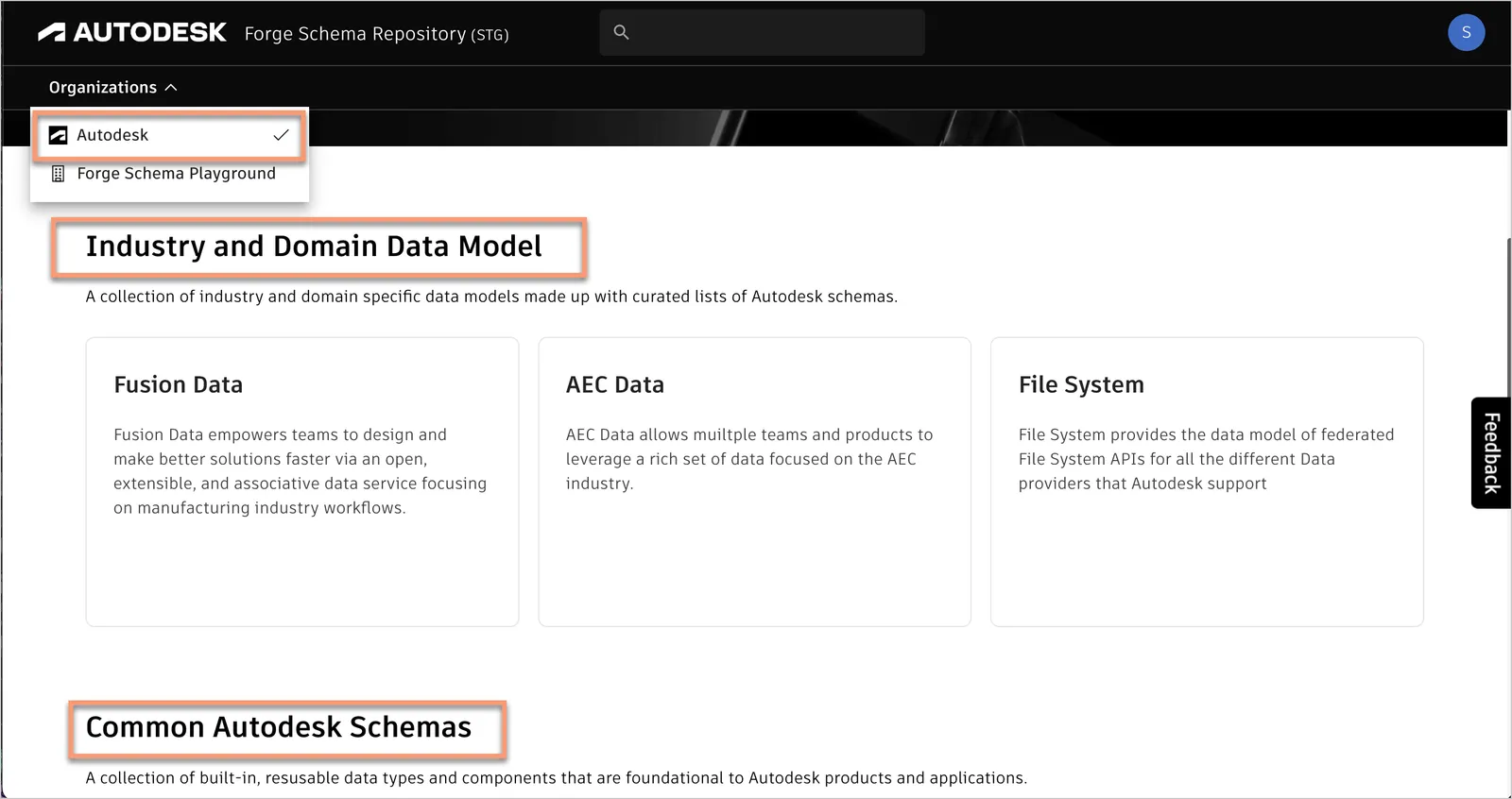
The following image shows how the groups are sorted under Autodesk organization. Category category option is available only for Autodesk organization. You can assign category to your group and library. You can see the various groups under Industry and Common category.
Sequence
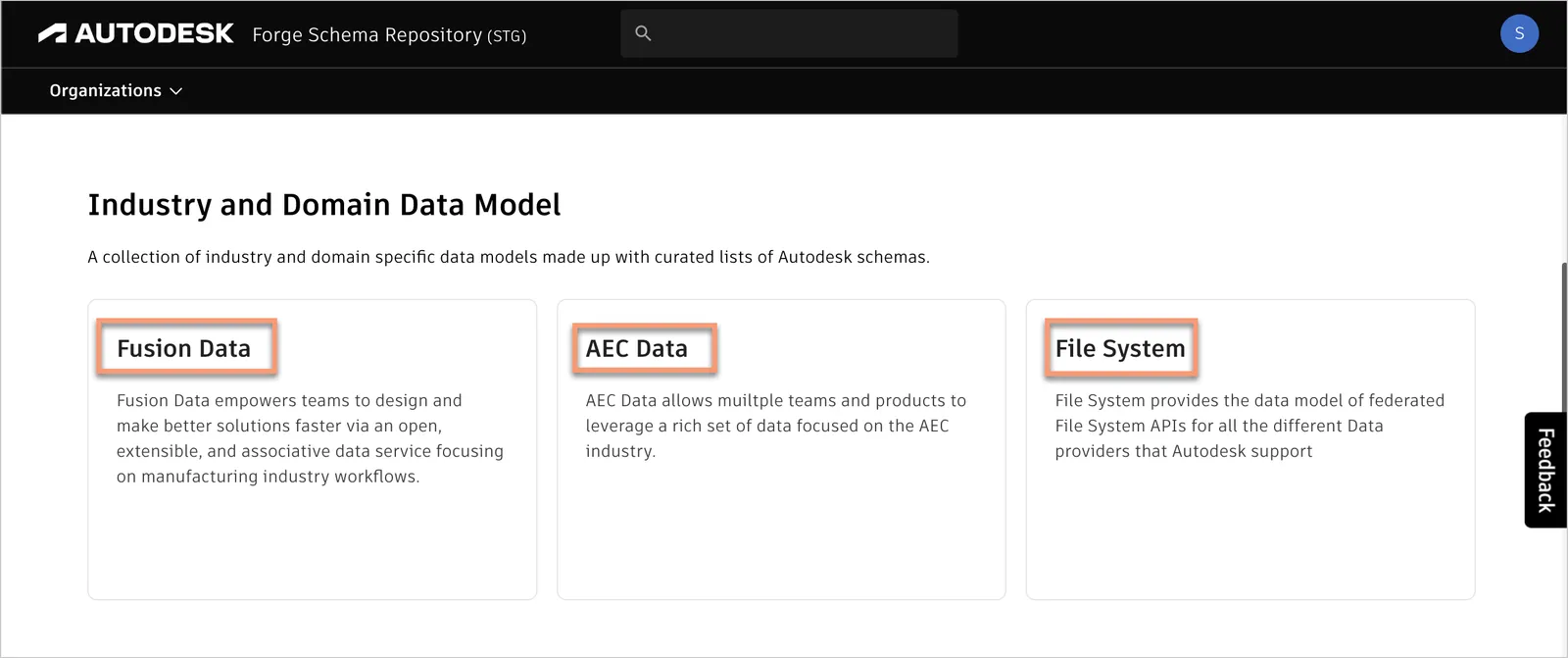
Sequence is any number to sort the group in ascending order. Example- 5, 10, 200. You can see the groups Fusion Data, AEC Data, and File System in a defined order. You can assign the sequence number in ascending order and change the group order.
Note: If you don’t specify the sequence for the group, the user interface will sort it by alphabetical order.
Supported Types
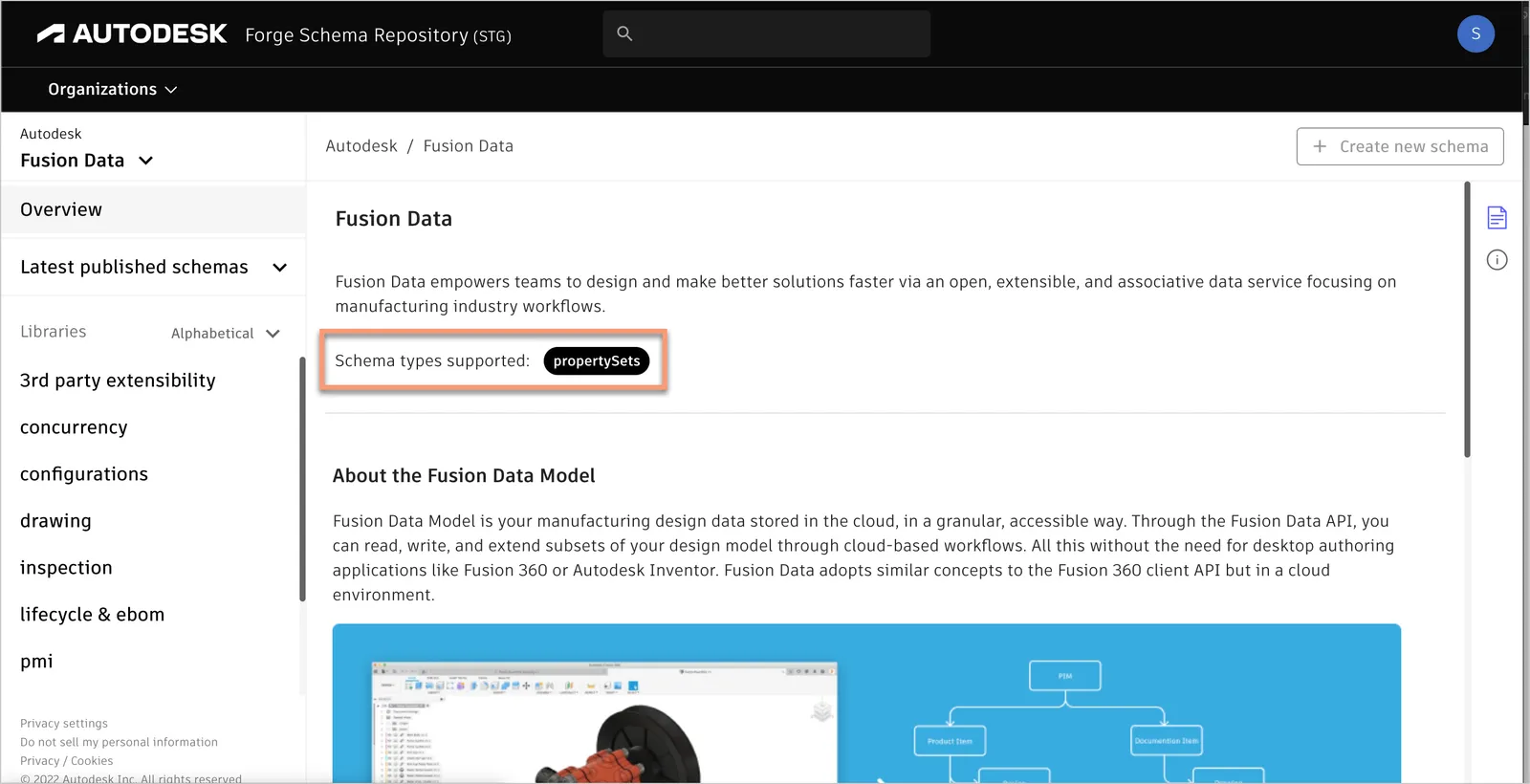
When you open a group, you can view the supportedTypes property. It is an array of Schema types which are supported in a group or library.
About
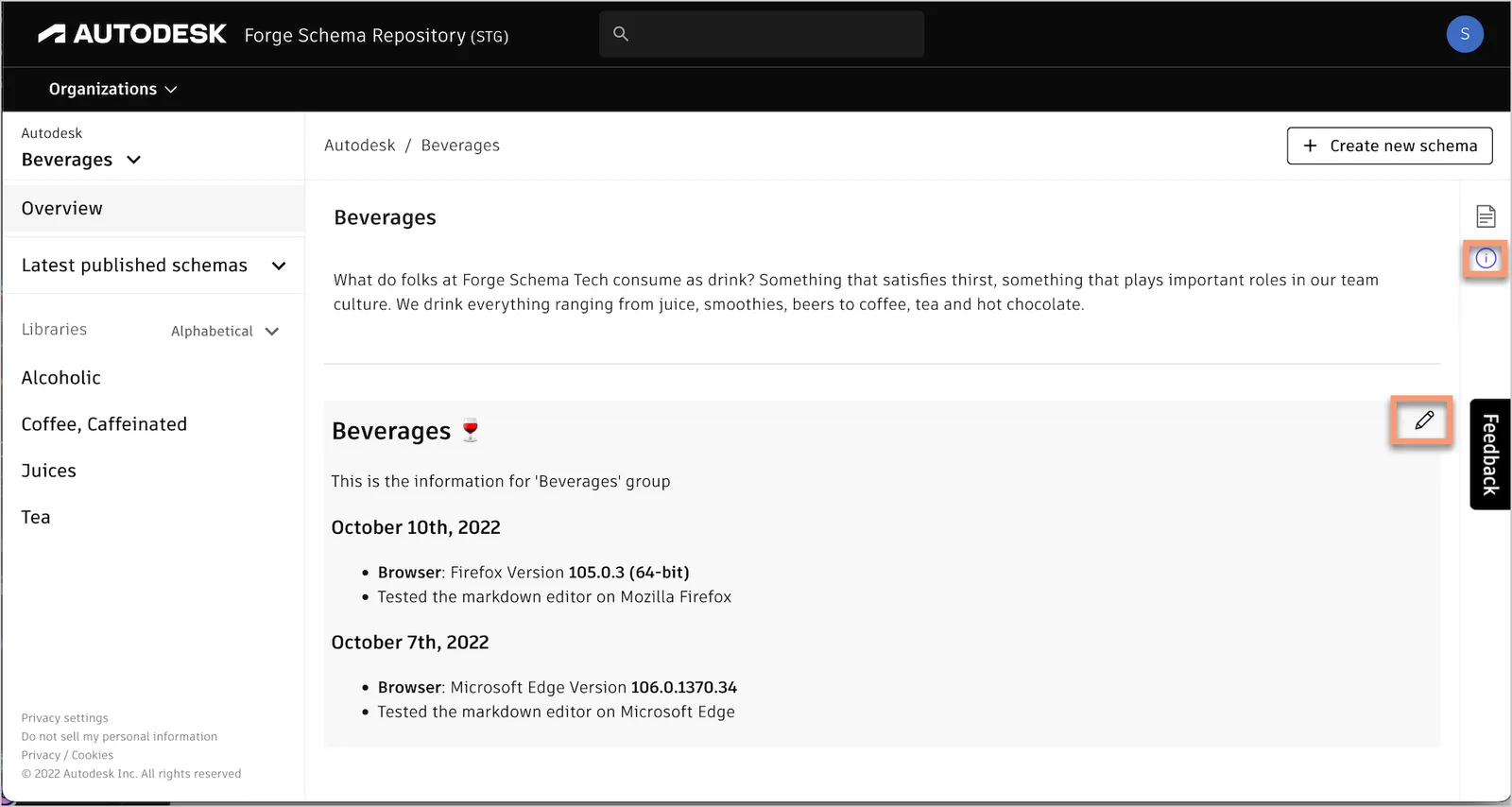
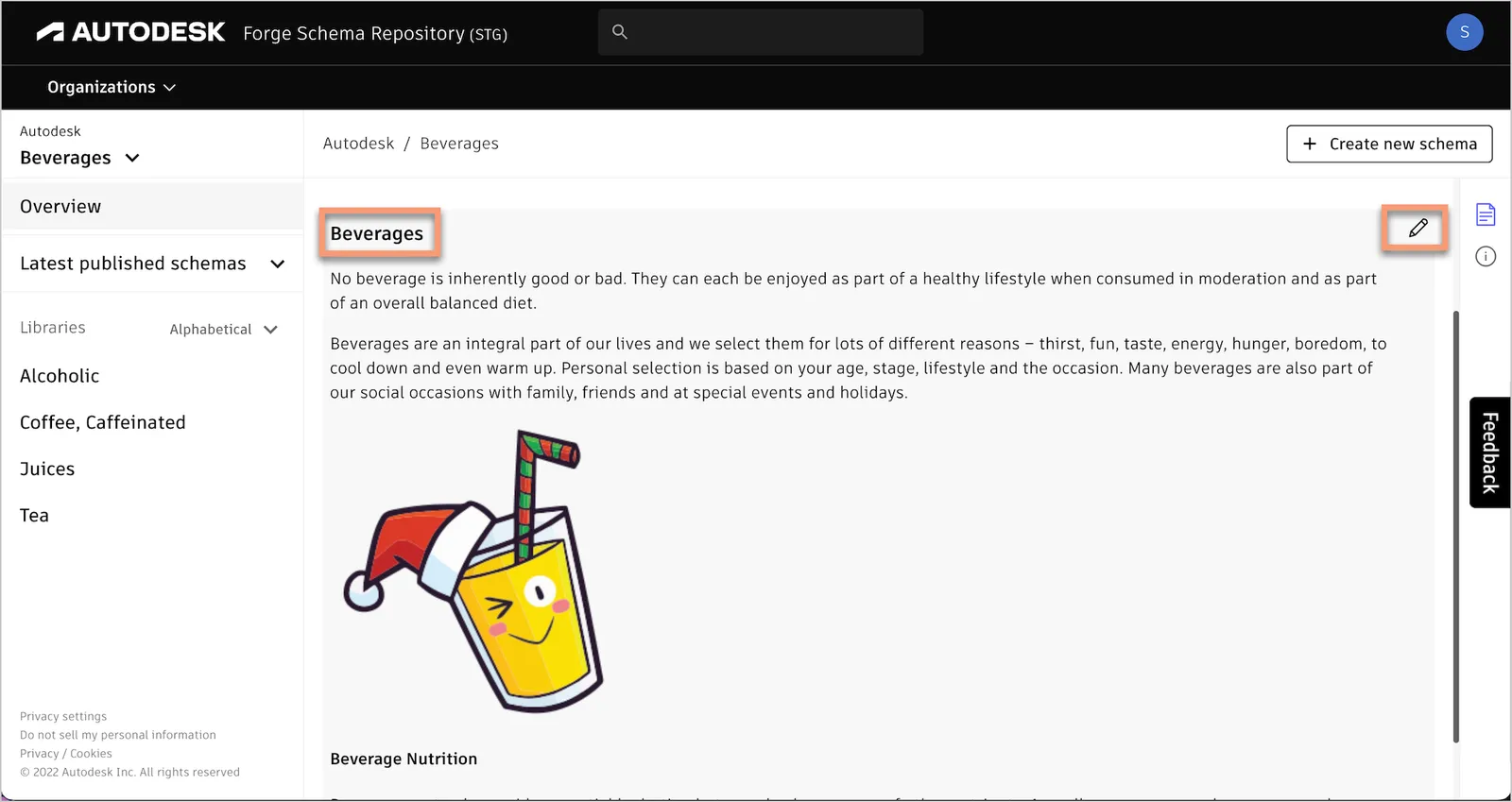
This parameter contains information about the group or library. You can put detailed information about a group or library. This section supports markdown language, you can define multiple headers and insert images for more explanation. You can edit the about parameter and update the information by clicking the pencil icon as shown in the following image.
Support
This parameter contains additional information about the group or library, which is viewable to Autodesk users only. You can put additional information which is useful for Autodesk users. You can view this information by clicking the blue icon and you can edit the information by clicking the pencil icon as shown in the following image.
Note: You must not put sensitive information in this parameter.